Source material
Finding source material
PDF files work best for this analysis, but there are three types of PDF files to be aware of:
digitally-created pdfs such as from print streams in Word, that contain text and font-family information, and are searchable.
scanned/image-only pdfs that contain no text information
searchable pdfs - where there is a text layer that has been developed with OCR and sits underneath the scanned image
Archives will typically use scanned image-only pdfs, though sometimes these are saved as PDF/A, which is a reduced file size with reduced functionality. For our Gazette project, you can find high quality scans of documents here at the Dalhousie Gazette Archives. You can find the current Gazette here.
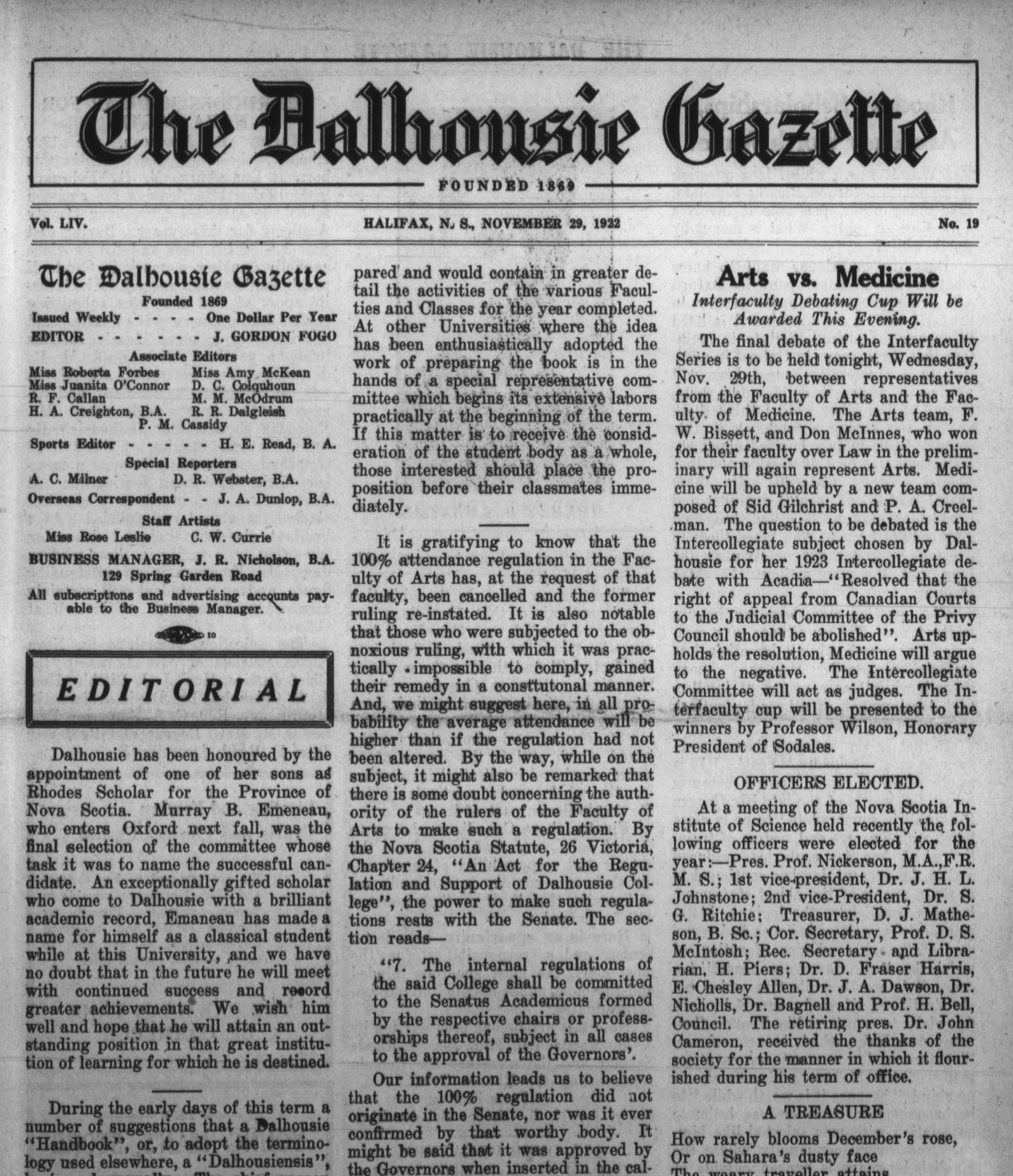
The following is an example screenshot of a multi-page scanned image PDF file of a 1922 Dalhousie Gazette.
Other source materials
You can also use other source materials as you get comfortable with this process. Some examples include:
- images of texts taken with your smartphone.
What it can’t do
The OCR notebook we provide uses PyTesseract, which is a Python wrapper for Google’s Tesseract OCR library. It is not intended for analyzing handwritting. This article on medium.com illustrates some of the challenges. For analysis of handwriting, you will want Human Handwritten Text Recognition (HTR). For those with Python experience and time to create training datasets, you can find more here.